
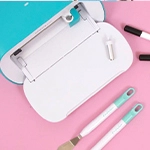
We are used to being surprised by We R Memory Keepers launching tools that become basic in our scraprooms, tools that make us think "How is it that I have been able to live without this?" The new addition, the PrintMaker, is one of those products.
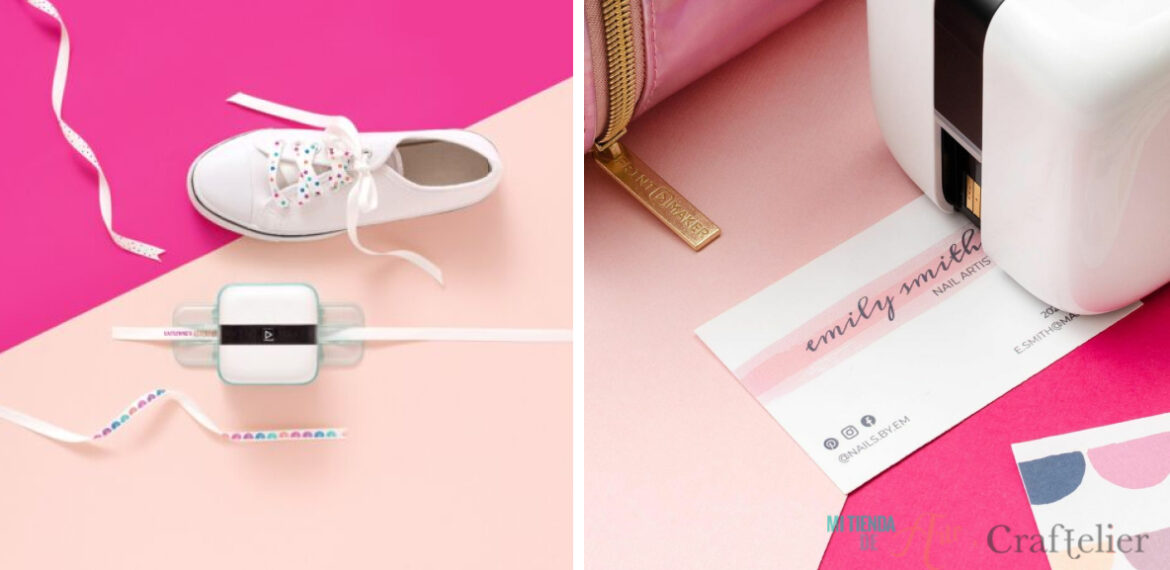
It is a small tool, it barely takes up any space, and yet it is more than we could expect from it. With just one tool we can design our own creations, whether they are illustrations, lettering... whatever; and print them on our projects or almost any surface we can think of. We're going to tell you everything about it because we're sure you'll love it, and you'll want to know everything about it.
What can I do with the PrintMaker?
The PrintMaker includes a free design programme, an Android and iOS app, the PrintMaker App. There you will find more than 2000 fonts, templates or designs to choose from; or, if you prefer, you can start designing from scratch.
Once you've got your desired design, it's time to get your PrintMaker up and ready to print. Thanks to HP technology, we can print on more than 50 different surfaces, such as paper, fabric, washi tape or wood. This means that we won't have any adhesion problems on most porous surfaces, and the print will be clear and brightly coloured. Besides, the ink dries almost instantly, which is very convenient if we want to work with patterns, as we won't have to worry about our project getting smudged.

How does the PrintMaker work?
We are going to detail, in a series of simple steps, how to use this little printer. It's very easy, and you'll see that you'll get the hang of it in just one go.
Download the PrintMaker App on your mobile device and start designing.
- Make sure the tool is charged. Just place the PrintMaker on the Home Base in the locked position. To fully charge, allow 60-90 minutes, you'll know when the machine is ready to use because the amber light will turn white.
- Install the ink in the PrintMaker. To do this, you can follow the instructions at wermemorykeepers.com/printmaker.

- Pair the PrintMaker with your mobile device via Bluetooth.
- Go back to the app and select your chosen design. Press the PRINT button.
- Make sure the PrintMaker is turned on. Press PRINT and then SEND TO PRINTER. The light on the machine will flash and you can press the action button, located on the surface of the machine. Then, a green light will appear on the PrintMaker. Glide your device along your printing surface and enjoy!
As you can see, it is very easy to use, and we can make hundreds of projects with it. Best of all, we can print our own designs in a few minutes. Without a doubt, the PrintMaker has arrived to shake up the scrapbooking scene, offering us a whole world of options to develop our creativity.
This little tool will be on the market soon, so remember to keep an eye on our social media networks, which are the way we keep you updated on all the latest news. In the meantime, tell us, are you as excited as we are to receive this little printer? Tell us in the comments what projects you would do with it ?




4 Comments