Explore 5 vs Explore 4
At Craftelier, we know that when a new machine comes out, the big question inevitably arises: is it worth making the upgrade, or is the previous model still a good buy? If you’re comparing the Cricut Explore 5 and Explore 4, the answer isn’t simply a matter of looking at the name or being swayed by the novelty. The important thing is to understand what really changes in day-to-day use: the size, the user experience, what’s included in each bundle, and how each machine fits in with your creative process.
How do they differ?
1. The redesign is one of the major new features of the Cricut Explore 5
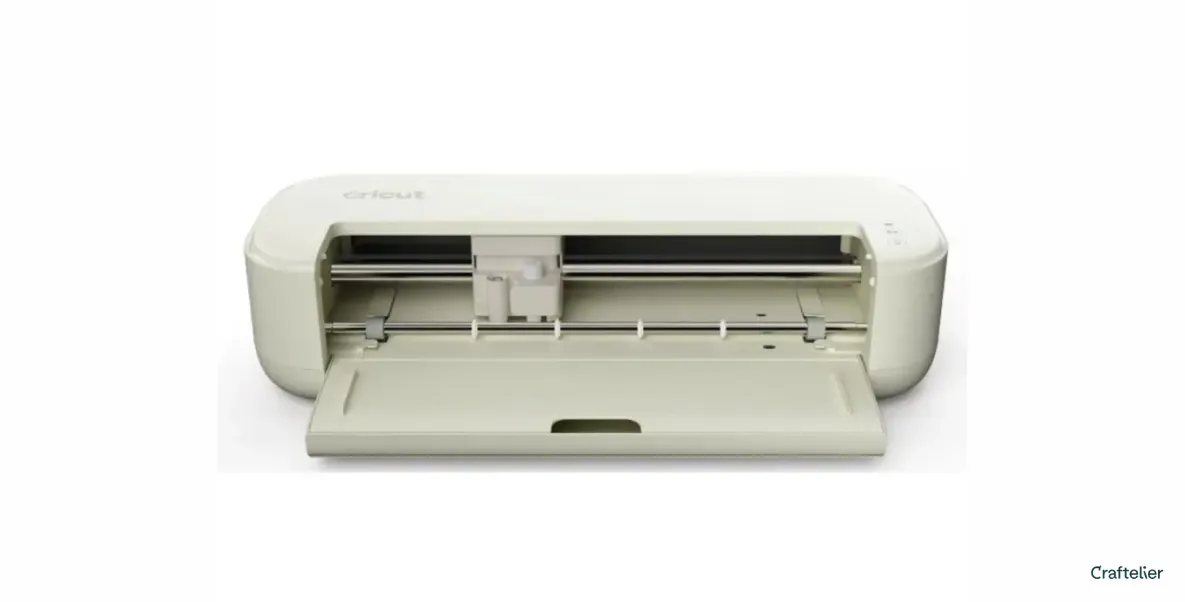
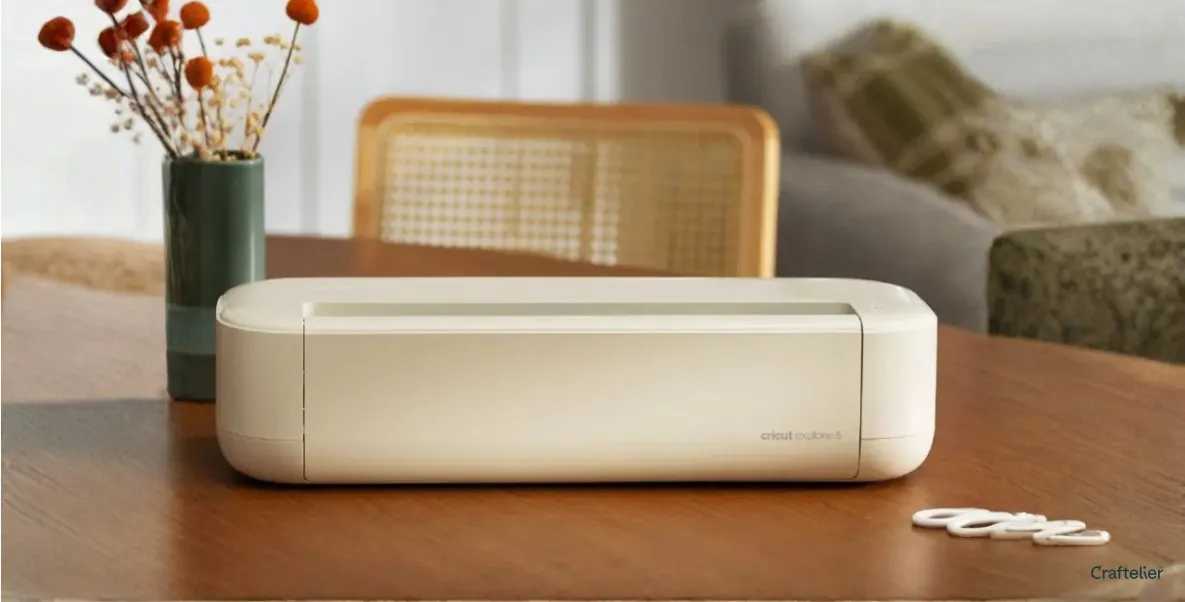
Both the Cricut Explore 5 and the Cricut Explore 4 are designed for highly versatile projects. Both work with over 100 materials, allow you to cut, write, draw, emboss and add foil, are compatible with Design Space, and offer features such as ‘Print Then Cut’ for stickers or full-colour designs. In other words: essentially, both remain very comprehensive cutting machines for anyone who wants to personalise cards, T-shirts, vinyl decals or labels. If there’s one clear difference at first glance, it’s the design.Cricut presents the Explore 5 as a more compact machine than previous models, with a more streamlined interface. Furthermore, we know that it measures 50.2 x 19.05 x 11.9 cm (19.8 x 7.5 x 4.7 in) and weighs 4.5 kg (9.9 lbs). In contrast, the Explore 4 measures 56.4 x 17.8 x 15 cm (22.2 x 7.0 x 5.9 in) and weighs 5.03 kg (11.1 lbs). We can therefore say that this new model is 30 per cent more compact than the previous design.
In practical terms: this new generation of machines is designed to take up less visual space, blend in better with your desk and be more convenient if you prefer a cleaner, more minimalist workspace.
2. The user experience
Here’s one of the most interesting aspects of this comparison. Cricut isn’t just selling the Explore 5 as a new machine but as a more elegant and streamlined creative experience. They’ve gone to great lengths to design a more intuitive interface, with step-by-step workflows within Design Space, and have integrated AI-powered creative tools into the app. With this design change, the Explore 5 goes one step further: it doesn’t just want to help you create; it wants to make the process feel more seamless right from the start.What materials and creative possibilities do the Explore 4 and Explore 5 offer?
Both the Explore 4 and the Explore 5 work with over 100 materials and allow you to create very similar projects: adhesive stickers, customised vinyl for clothing, card-making, drawing, marking and foil. Both also work with six tools and support the deep-cut tool for thicker materials such as foam or EVA rubber. So, if you’re wondering, ‘what can I do with one and what with the other’, the answer is practically the same things. The improvement with the Explore 5 lies more in its design and user experience than in a revolution in the materials it can cut.
Is the Explore 5 faster?
Here’s an important point in favour of the Cricut Explore 5 Essentials. In this case, we’re not just talking about the machine itself but a kit designed to let you start creating straight away, with a selection of tools and materials that greatly enhances the initial experience.
As well as the machine, it includes the following tools:- Premium fine-tip cutting blade
- Marking tool
- A double-tipped marker pen (0.4 mm and 1.0 mm)
- A LightGrip cutting mat
- A card cutting mat
- Peeler
- Squeegee
- Spatula
- Tweezers
- Fine-tipped scissors
- Shears
- Ruler
As for consumables, the starter kit includes a comprehensive set of materials for creating projects on a variety of different materials, such as Smart Vinyl, Smart Iron-On, transfer tape, sets of insert cards, cardstock, and printable vinyl. With all of this, you can create up to 65 different projects.
So what does this mean in practice? It means you’re not starting with an ‘empty’ machine but have the chance to try out various techniques and discover which types of projects you enjoy most. You can try your hand at cards, adhesive vinyl, fabric vinyl, paper projects, printed stickers, and even projects involving folds, thanks to the scoring tool, which creates perfect fold lines for cards and paper projects. This makes the kit a great choice for those just starting out or for those who want to try out different formats before specialising in the projects that suit them best.
So, is the Cricut Explore 5 worth it?
After all the analysis we’ve carried out, we’re in no doubt: yes, it’s worth it if you value a more compact machine, a refreshed design, a more modern user experience and a more comprehensive starter pack. For those starting from scratch, the Explore 5 could be one of the most comprehensive tools on the market. We’re not saying it does anything radically different, but we feel it’s a more complete product and better suited to users who want to get started on all kinds of projects right from the get-go. That said, this doesn’t mean the Cricut Explore 4 is no longer a viable option. If you find a good deal, if you’re already familiar with the Cricut ecosystem, or if you simply prioritise the core cutting and personalisation functions, it remains a very capable choice. Ultimately, it shares much of the Explore 5’s creative foundation: compatible materials (including smart materials), project types, the Design Space app, and the core cutting and engraving tools.Which model to choose depending on your creative style
If you want a quick recommendation, we’d sum it up like this. Choose the Cricut Explore 5 if you’re looking for a newer, more compact, more intuitive machine with a more comprehensive product package to get off to a flying start. Go for the Cricut Explore 4 if you can find a better price for comparable specifications, and what matters most to you is gaining access to the Cricut universe with a very powerful tool. The key is not to focus solely on the model name but to look carefully at what each option includes and how much value you place on the redesign.
Our final verdict
When comparing the Cricut Explore 5 with the Explore 4, what really stands out is that Cricut’s Explore range remains an absolutely safe bet for anyone looking for a versatile, powerful tool capable of taking any creative project to the next level. Both cutters offer a 12” cutting width, ideal for working comfortably; they are compatible with over 100 materials and boast the precision needed to bring all kinds of personalised projects to life. The key is to choose the one that suits you and your creative style… because in the Explore range, every option is a good option.Products related to this post
Want to let your creativity run wild? Want to know which products we’ve mentioned in this post? Here they are: