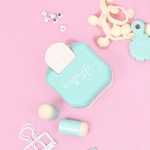
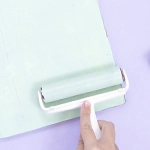
The Fuse is a very useful tool once you learn how to use it correctly, but not everyone finds it easy to do so at first, so today, we are going to see some tricks, so you can use it like a pro in the easiest possible way.
The Photo Sleeve Fuse Tool allows you to create pockets and make personalized pages, making it an ideal tool for Project Life.

What does the Fuse include?
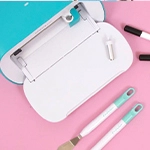
When you buy the Fuse Tool you get more than just the tool. In the kit, you can also find a metal ruler to be able to make straight cuts easily, support to hold the Fuse when it is hot so as not to damage the work surface, a sealing tip, and a cutting tip. These tips have different uses:
- Sealing tip: this is the most common tip when using the Fuse Tool. It allows you to create pockets and make closures, creating a "stitched effect".
- Cutting tip: with this ruler, we can make a clean cut in many plastics. It is very useful for adding pockets to our cases. What you need to keep in mind is to put a piece of cardboard inside the case, this way you make sure that the tip is only cutting one piece of plastic, the one on the front of the case, and not both of them. And so, you have an additional pocket on your page in a very simple way.
Other accessories for the Fuse Tool
In addition to those mentioned above, you can get other accessories that will make your Fuse Tool more comfortable to work with and will increase the possibilities. The Silicone Base for Photo Fuse is almost an essential element when working with the Fuse. Thanks to its silicone material, you can work on it with no risk of burning or damaging the working surface. In addition, it includes a support structure in which you can place your Fuse Tool and which is very practical when working with the tool. It has another important feature. Due to its soft material, it allows exerting some pressure with the tip and, thus, to achieve a better outcome.
In addition, you can find the 12" Ruler for Photo Fuse Tool that will allow you to create borders with different shapes to give a more original touch to your projects.
And of course, more tips for the Fuse Tool. These tips come in a kit in which you will find spare tips (a sealing tip and a cutting tip) and two other tips a bit wider and with stripes and diamond designs that will be perfect to decorate your pages and give them a more original touch.

Tips to get a better result with the Fuse
The first thing we have to take into account when working with the Fuse tool is that you have to plug it in and wait about 10 minutes until it is completely warm. Then, it's ready to work with. To get a good sealing, you have to pay special attention to the way you move the tool over the photo pocket page. Keep the same speed and pressure so that the line we're making is perfect and totally homogeneous. In addition, the angle of the Fuse on the paper must also be constant. If you do it this way, you will obtain the same distance between holes and ensure that none of them is more pronounced than the other.
If, on the other hand, you slide the Fuse too slowly, you could even cut the sleeve and make a hole in it, and if you run the Fuse too fast, it won't have time to seal both parts together, and you won't get the right seal.
Projects to do with the Fuse Tool
The Fuse is not only perfect for making Project Life projects and creating your own custom pocket sleeves, but it is also a tool that allows you to do so much more. From creating more original shapes for your photo pocket pages and thus creating a more original design than the typical square or rectangular shape, to making shakers with unique figure. Just with the help of a die, you can make original shakers. Just edge the die with the Fuse (all the borders except one) to get the shaker in the desired shape. You can now fill it with sequins, paper, or glitter and close the side left open with the Fuse. This way, you have a completely personalized shaker ready to incorporate into different projects, a LayOut, a card, or our photo album.

So that there is no doubt about how to use this tool and the different uses that can be given to it, here is a video where you can see all these tips and get a better understanding of how the famous We R Memory Keepers tool works.
What do you think of this tool? Are you one of those who can't get away from it or one of those who find it a bit difficult? We hope that all these little tips have helped you. Tell us in the comments your favourite tricks for using the Fuse.