The Cricut Autopress is already here to make our work faster, easier, and with the best possible results. Best of all, with its new technology, you will be able to make designs effortlessly.
The Cricut Autopress is a professional heat transfer tool. Cricut already had heat presses in its catalogue, the EasyPress ones, available in different sizes. The Cricut EasyPress Mini, the smallest size, is perfect to work on small projects such as sneakers, bags, or make-up bags. For larger projects, you can use either the EasyPress 22 x 22 cm or the EasyPress 30 x 25 cm. All of them were raspberry-coloured, but now comes the new generation, in blue, which allows you to connect your mobile phone via Bluetooth.
In addition to this new line of products, another new model joins the EasyPress family, the Cricut Hat Press, designed to work on caps and hats. Its curved surface adapts perfectly to the rounded shape of these accessories. It also includes a circle-shaped protection mat to insert inside the cap or hat.
These tools are easy to use and distribute the heat evenly over the entire surface so that your transfers will always be perfect.
Now, this heat transfer process is even effortless.

Cricut Autopress
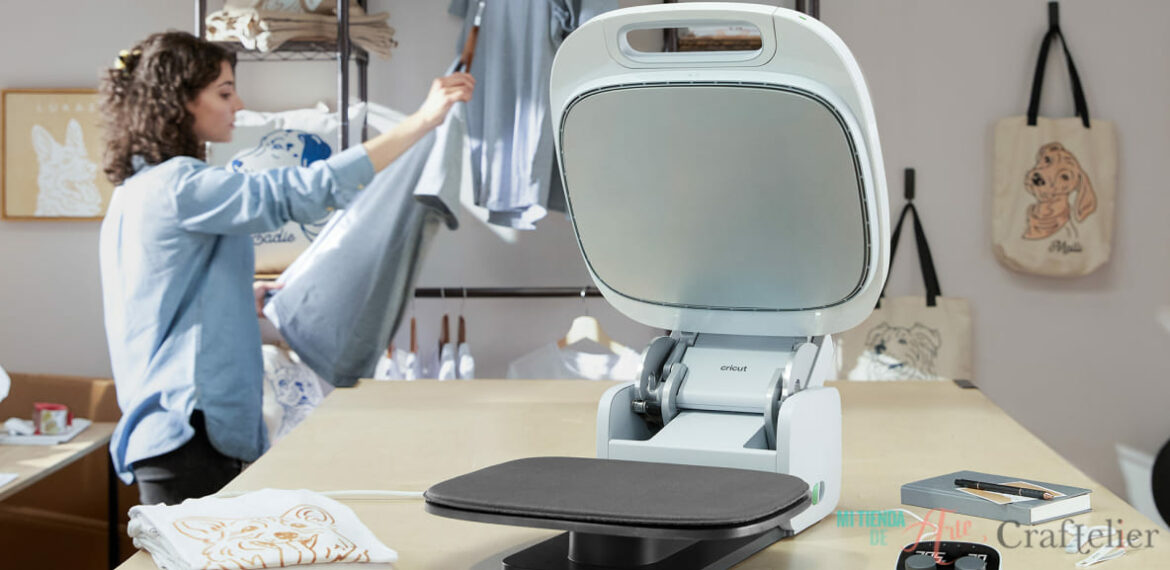
The Cricut Autopress is the brand's most advanced heat press. It has commercial power but home-friendly, so it is easy to use. Build of sturdy steel, all the materials are of the highest quality and safety. The outer materials are certified temperature-rated plastics to reduce any possible burn. It includes other safety features, such as a timer that will turn the machine off after 13 minutes of inactivity. The Cricut Autopress features the latest Cricut technology to get professional results straightforward.
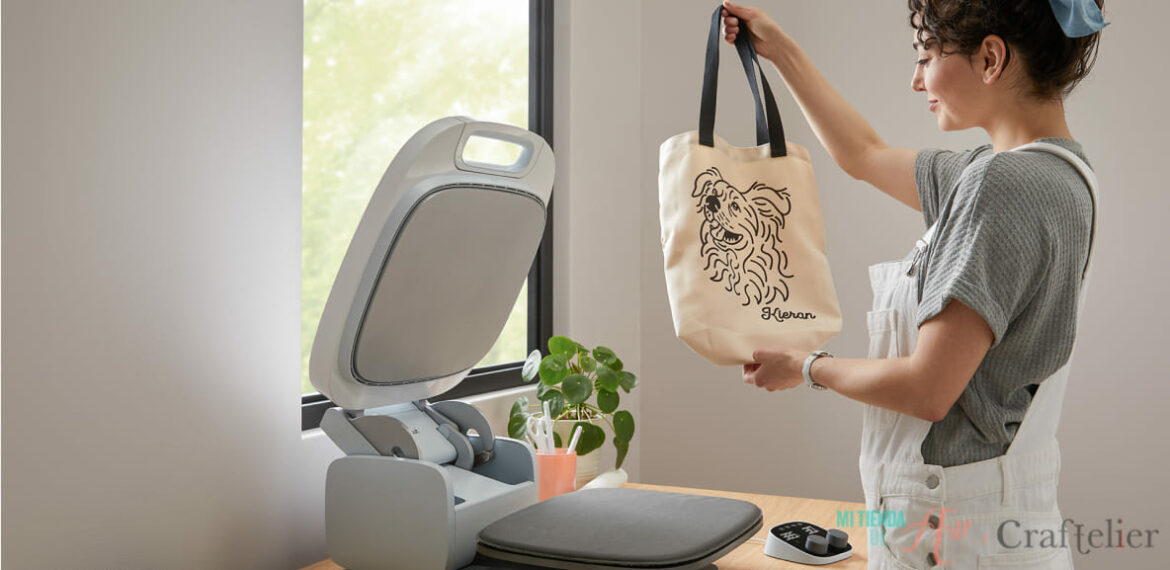
The Autopress is a hands-free tool. Just place your design on the machine, close it, and that's it! It is a perfect tool for batch making, as it opens automatically when it has finished pressing to prevent overheating. That also allows you to work on the following design in the meantime - a real-time saver! So, the best is to have another pressing mat to work meanwhile ;)
Let's talk about its features and how to use it in detail :)

Cricut Autopress features
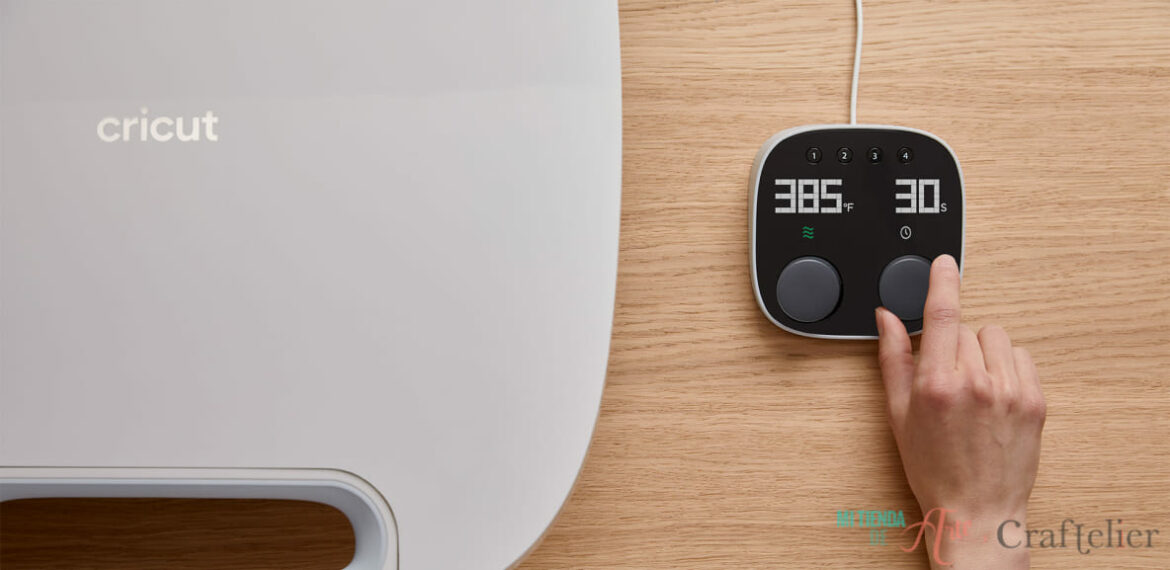
This heat press reaches a temperature of up to 205ºC (or 400ºF) in only 8 minutes. You can adjust it on the control pod and choose which temperature units you want to work in: Celsius or Fahrenheit.
The working surface is 38 x 30 cm, so you can work with any design between these dimensions. And so that you can get a better idea of how much the machine occupies (so you can find a place for it at home), its dimensions when closed are 42.24 cm wide, 16.81 cm high (reaching 63.84 cm when open), and 66.21 cm deep.
It has an opening angle of 62º, which allows a great view of the workspace. In addition, this reduces possible accidental burns while working.
If you want to transport it, you can do so comfortably using the handle on the machine, and you can store it both vertically and horizontal, so it fits better in your space.
How to use the Cricut Autopress
The Zero Effort™ technology makes this tool very easy to use, as it requires short manipulation to achieve the best results. All you have to do is change the temperature and time settings on the control pod. Besides, there are four buttons with a preset temperature and time settings. These are quick access to the settings you use the most, thus saving more time. Creating these preset programmes is very easy, select the desired temperature and time and press the button where you want to place these settings (1, 2, 3, or 4) for 3 seconds until you hear a beep.
Once you have selected the time and temperature, place the design over the non-slip silicon mat on the Autopress, lower the machine, and secure the closure. The device will apply the necessary pressure depending on the material. You can work with projects up to 5 cm thick without changing the pressure settings. When the set time has elapsed, it will stop applying pressure and open itself.
If you have doubts about the temperature and time to apply pressure to your design, check this official Cricut website, where you can select the heat press machine, the Cricut vinyl line, and the material you are working with it will calculate the temperature and time needed. In the Cricut App, you will also find information about time and temperature parameters for each project.

What does the Cricut Autopress include?
In addition to the Cricut Autopress heat-press, you get a non-slip silicon mat to protect your work surface, removing any humidity and directing the heat to the project. And of course, it also includes the control pod to set the desired temperature and time, alongside a user guide.
What do you think about this new addition to the Cricut family? Do you plan to include it to make your work much easier? Write in the comments what you think about the Cricut Autopress.